Wedding budget planner with deposits and due dates
Every expense in its category, instalments with due dates and one bar that shows how much you have paid and how much of the plan is left.
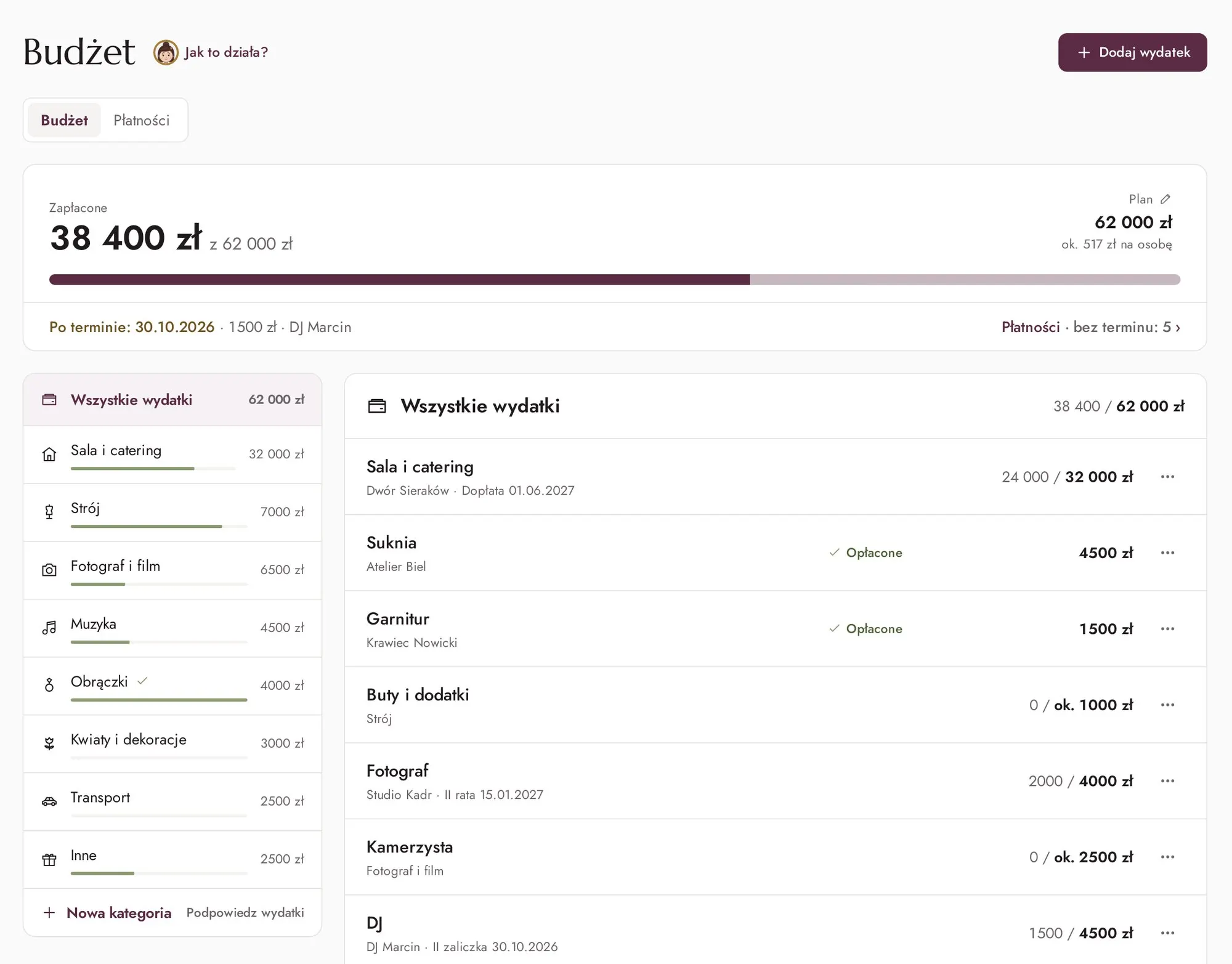
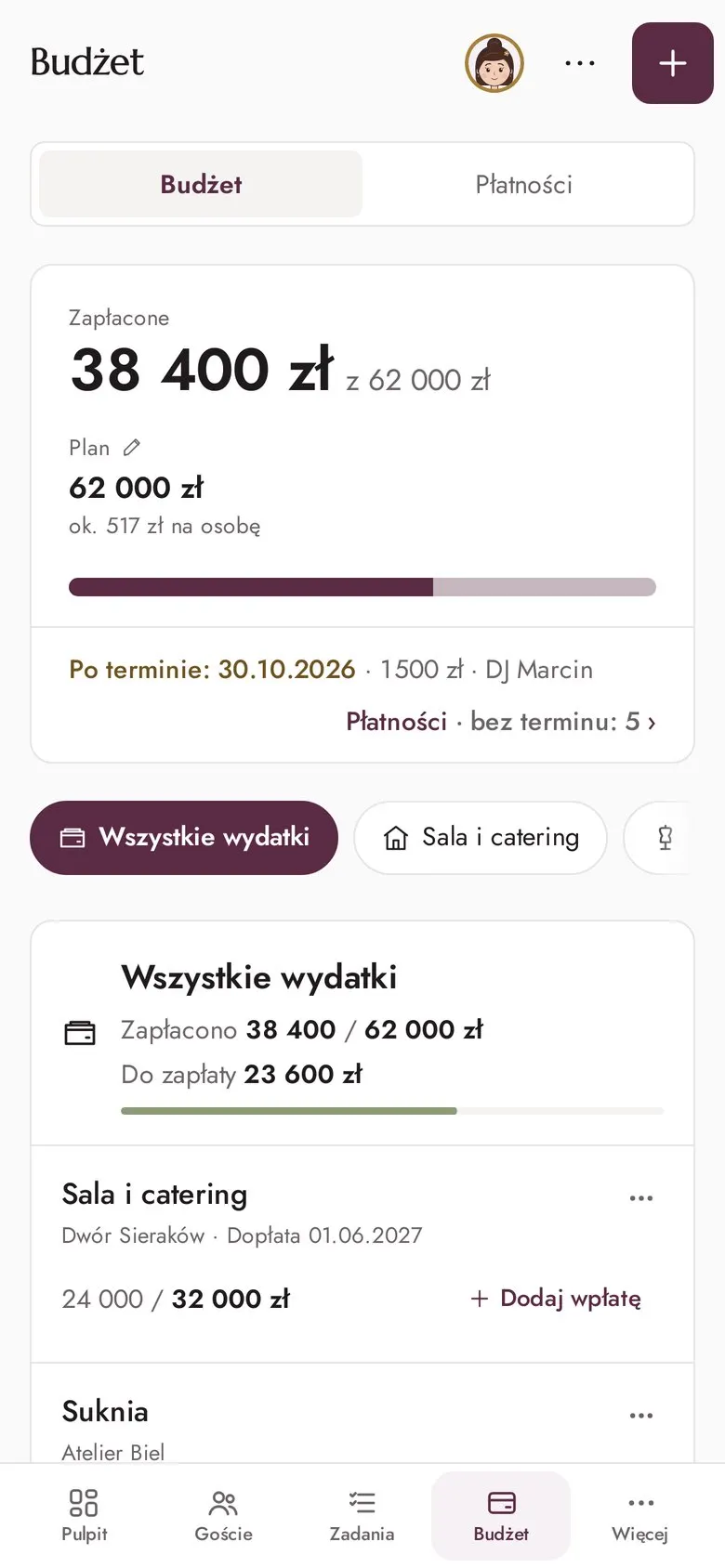
- Deposits and instalmentseach with its own due date
- Price per guest280 PLN × 120 guests
- Remindersan e-mail before the due date
From the quote to the last instalment
One expense through every stage: from the first idea, through the contract and the deposit, to the final payment.
- 01 / 04
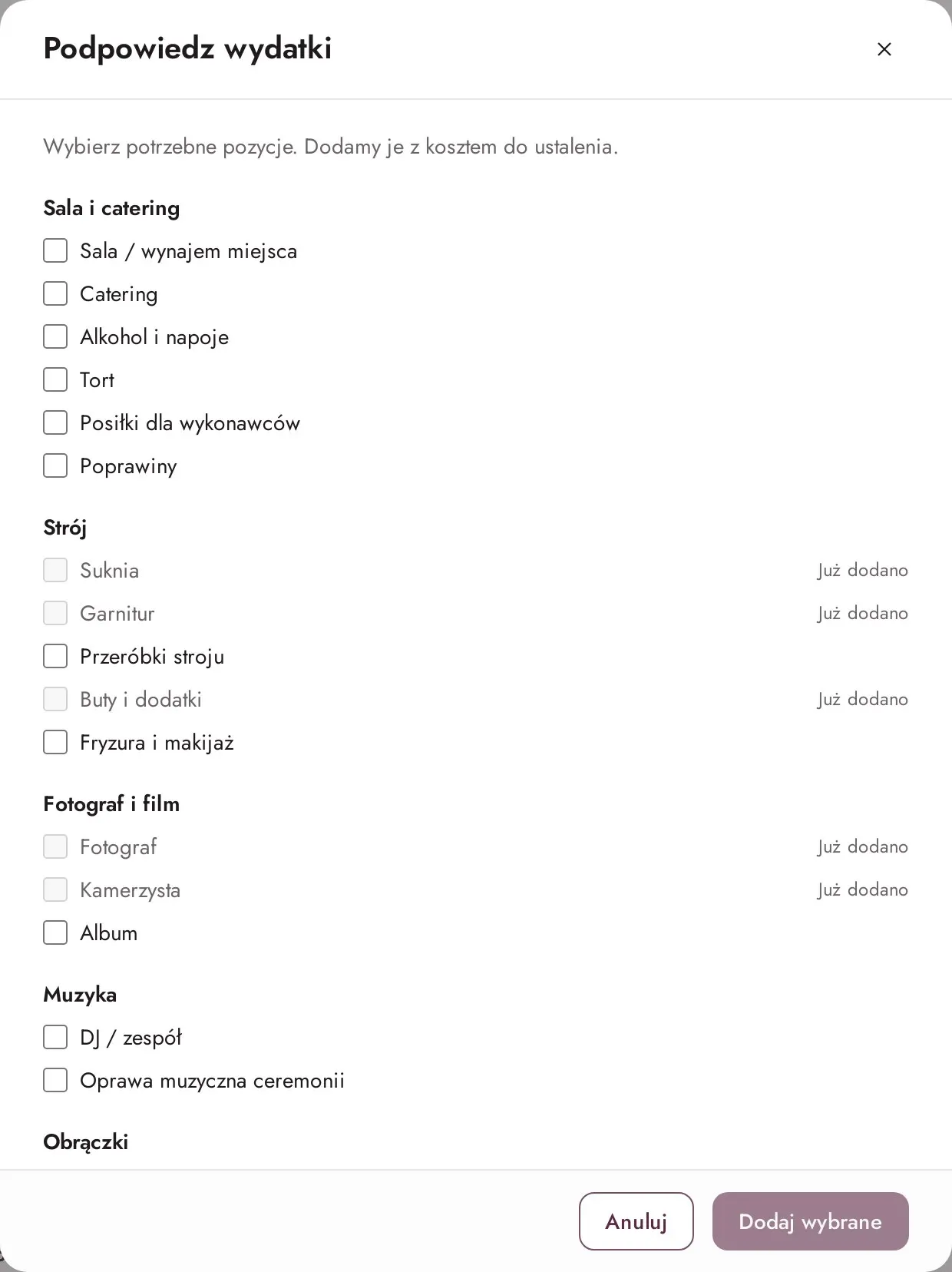
A list of expenses to start with
Suggestions add typical wedding expenses by category: venue, outfits, photographer, music. Add the cost once you know it.
- Your own categories
- Cost to be confirmed
- 02 / 04
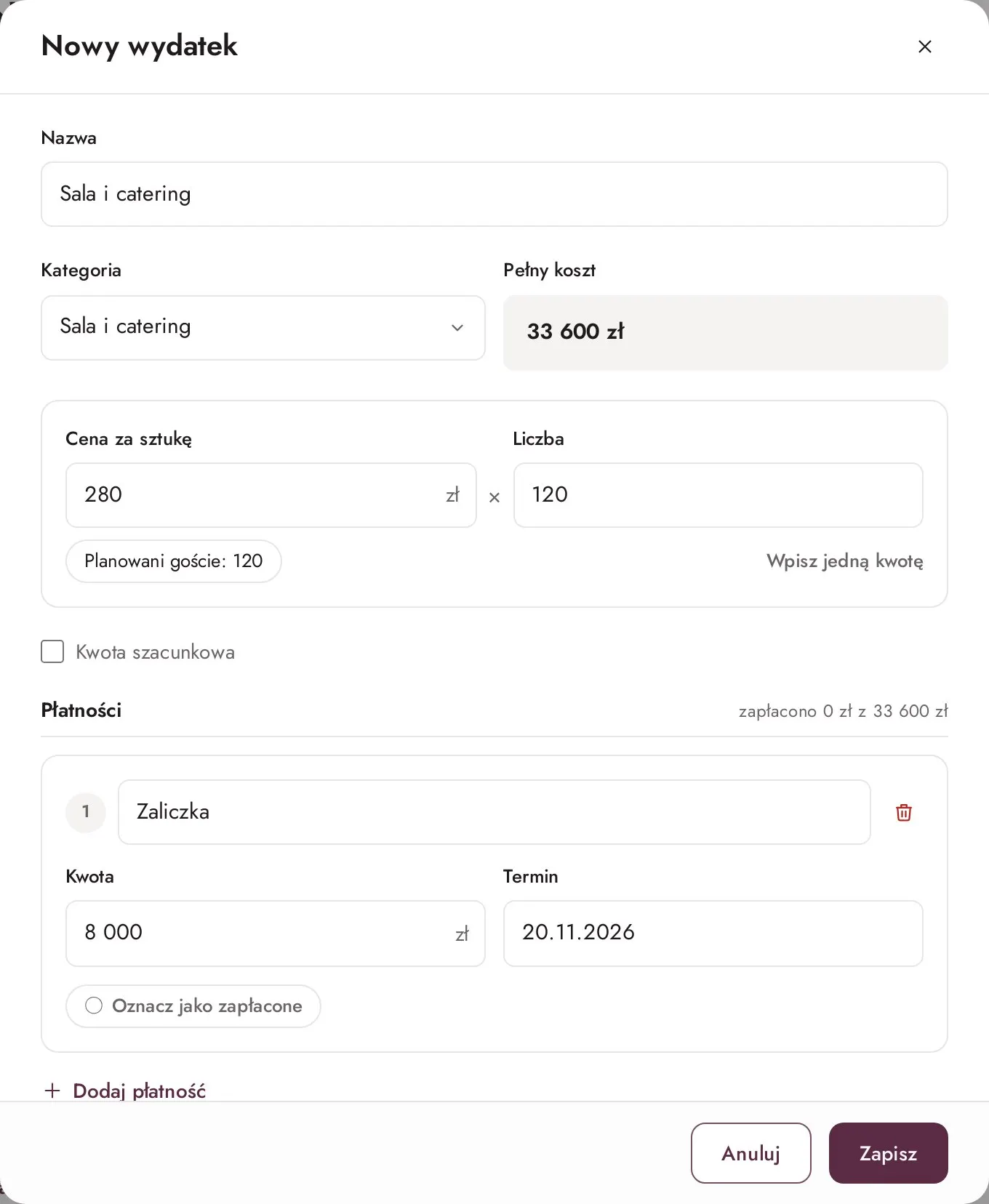
Price per guest
Venue at 280 PLN per person? Enter the price and the number comes from your planned guest count. The total works itself out.
- Price per person or item
- Estimated amount
- 03 / 04
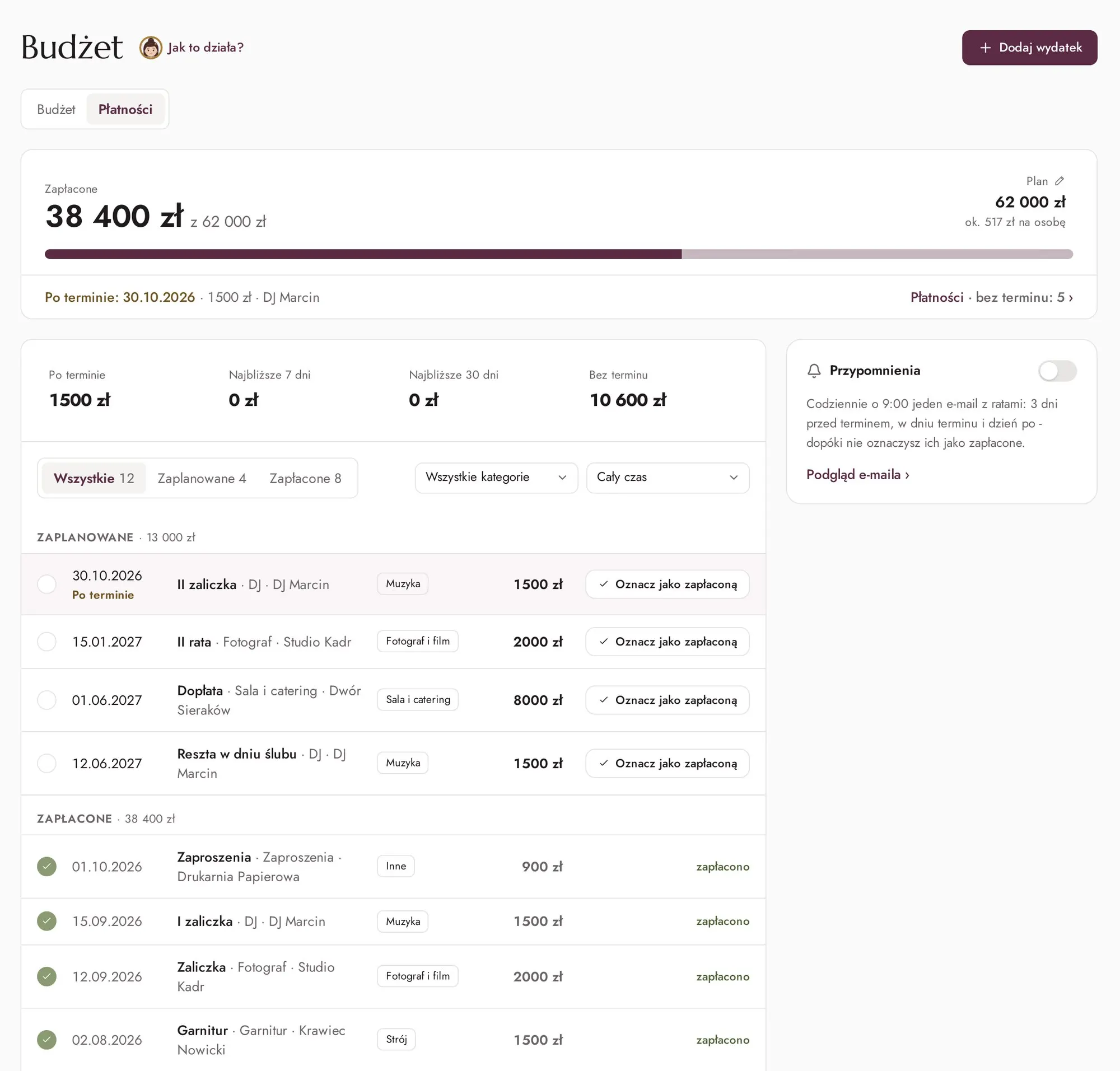
Deposits and instalments with due dates
Every payment has an amount and a due date. Overdue ones stand out right away, and you tick off a paid instalment with one click.
- Overdue, next 7 and 30 days
- Who paid
- 04 / 04
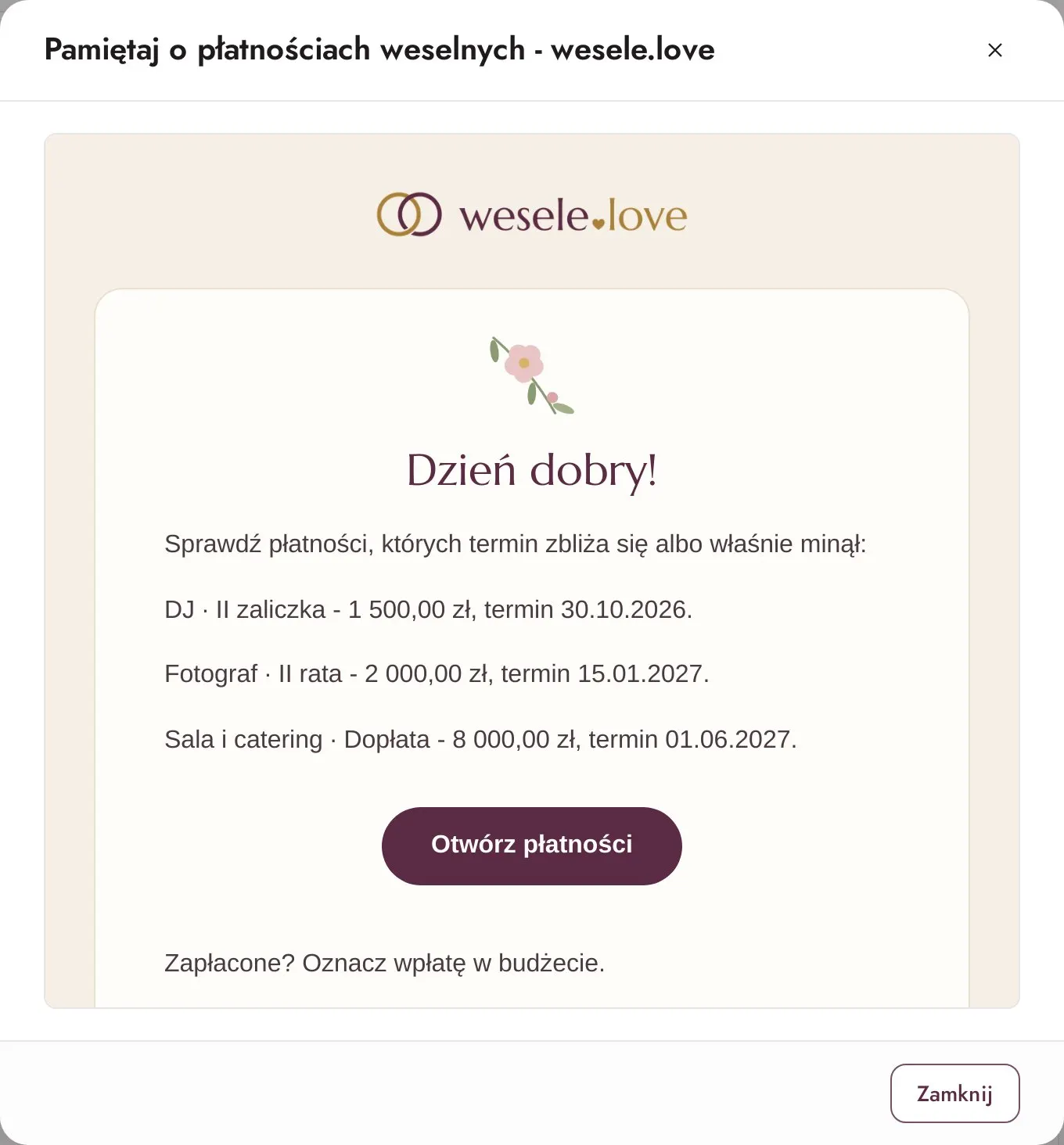
A reminder before the due date
Once a day, one e-mail with your instalments: 3 days before the due date, on the day and the day after. Until you mark them as paid.
- You switch it on
- E-mail preview in the panel
What you have paid, what is left
One summary at the top of your budget. It updates with every payment, no spreadsheet maths.
- The plan per guest
- Every category with its own bar
- The next or overdue payment always on top
A shared budget, private amounts
Shared by the couple
You each have your own account and the same budget, always up to date.
Planner can edit
Your wedding planner can manage the budget with you.
Nobody else sees it
Witnesses and family do not see the budget until you give them access.
Who paid
Every payment shows who marked it and when.
Connected to the rest of the planner
Vendors
The photographer or DJ you choose is linked to the expense, so the contract and instalments are in one place.
See moreAccommodation and transport
Rooms you pay for and shuttle buses go into the budget as expenses on their own.
See moreDashboard
The next payment and your budget summary are waiting on the panel dashboard.
See more
How to get started
- 1Create your wedding
The account and the budget are free.
- 2Set your plan
Enter a total and add the suggested expenses.
- 3Record instalments
Deposits with due dates; tick them off once paid.
Frequently asked questions
Anything else? Write to us at [email protected].
Add an expense right after meeting a vendor.
Create your weddingIs the wedding budget in wesele.love free?
Yes. The budget and payments are in every package, including the free Start, with no limit on expenses.
How do I work out the wedding cost per guest?
On an expense, choose "Price per person or item" and enter the price, for example 280 PLN. The number comes from your planned guest count and the total works itself out. The summary also shows the plan per guest.
What if we do not know the price yet?
Leave the cost to be confirmed or tick "Estimated amount". The budget shows it as "approx.", and you can record the deposit right away.
How do we record a deposit and further instalments?
In the expense, click "Add payment" and enter the amount and due date. You can add several instalments. Mark one as paid with a click, and undo it if you make a mistake.
Will we get a payment reminder?
Yes, if you switch it on in the Payments tab. Once a day at 9:00 you get one e-mail with your instalments: 3 days before the due date, on the day and the day after, until you mark them as paid.
Who can see our budget?
The couple and the people you give access to. For each person you choose whether they can only view the budget, edit it, or not see it at all. Witnesses and other people do not see it by default.
Can I export the budget to Excel?
Not yet, a budget export is planned. All amounts, instalments and due dates are in the panel on your computer and phone.
Does the budget work on a phone?
Yes, in the browser and in the Android and iPhone app. Add an expense or a payment in seconds, for example right after meeting a vendor.
Start planning
today